
- Navigate to the page with your Sticky
- Locate your Sticky on the page
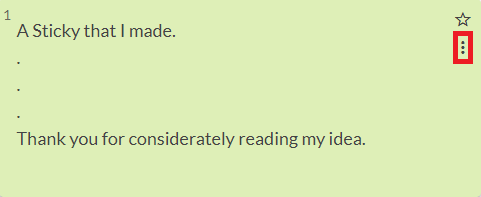
- Click on the 3 dots on the top right-hand corner of the Sticky. If it does not have 3 dots then it is not your Sticky.
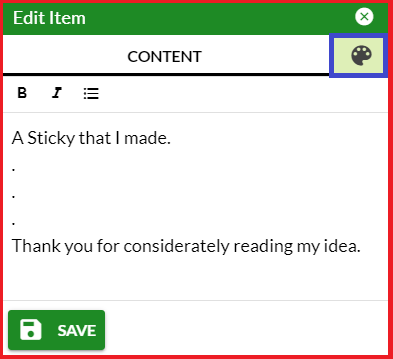
- Click on the button that says "Edit this item" and edit the item in the dialogue box that pops up. Do not forget to hit the "SAVE" button when you are done editing.
Note: you can only edit stickies that you've authored
Examples with Pictures
Step 1: Navigate to the page with your Sticky
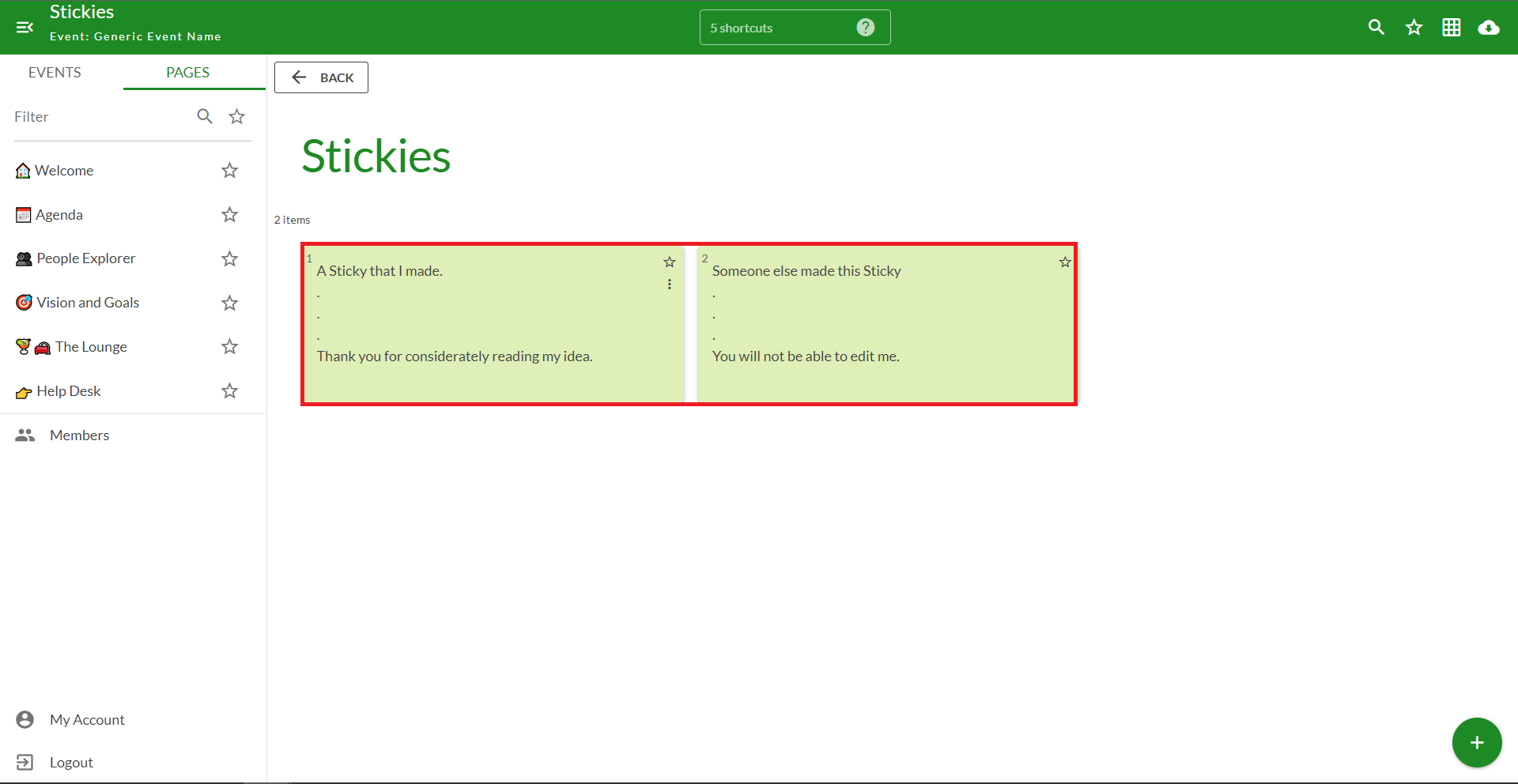
Step 2: Locate your Sticky on the page
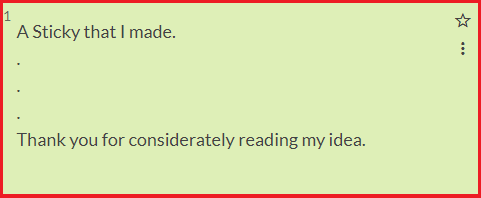
Step 3: Click on the 3 dots on the top right-hand corner of the Sticky. If it does not have 3 dots then it is not your Sticky.
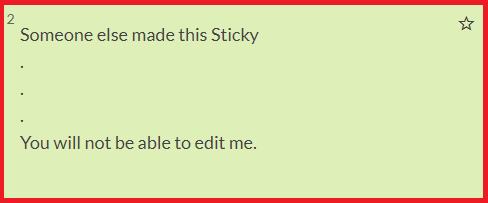
Note: Notice how this Sticky does not have the 3 dots, thus indicating that you did not author it.
Step 4: Click on the button that says "Edit this item" and edit the item in the dialogue box that pops up. Do not forget to hit the "SAVE" button when you are done editing.
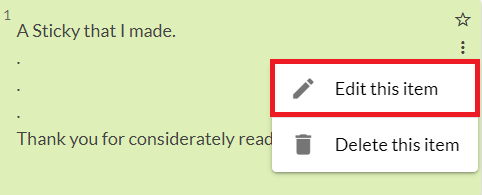
Note: You can also edit your Stickies color in this menu by clicking the "color palette" button in the top right-hand corner.
Comments
0 comments
Please sign in to leave a comment.